文章来源:网络作者:陌流兮发布时间:2026-08-19 02:37:39
小编今天给大家带来的是怎么在微信小程序中实现分页下拉加载?下面就和小编一起来学习一下吧,希望能够帮助到大家。
当用户打开一个页面时,假设后台数据量庞大时,一次性地返回所有数据给客户端,页面的打开速度就会有所下降,而且用户只看上面的内容而不需要看后面的内容时,也浪费用户流量,基于优化的角度来考虑,后台不要一次性返回所有数据,当用户有需要再往下翻的时候,再加载更加数据出来。
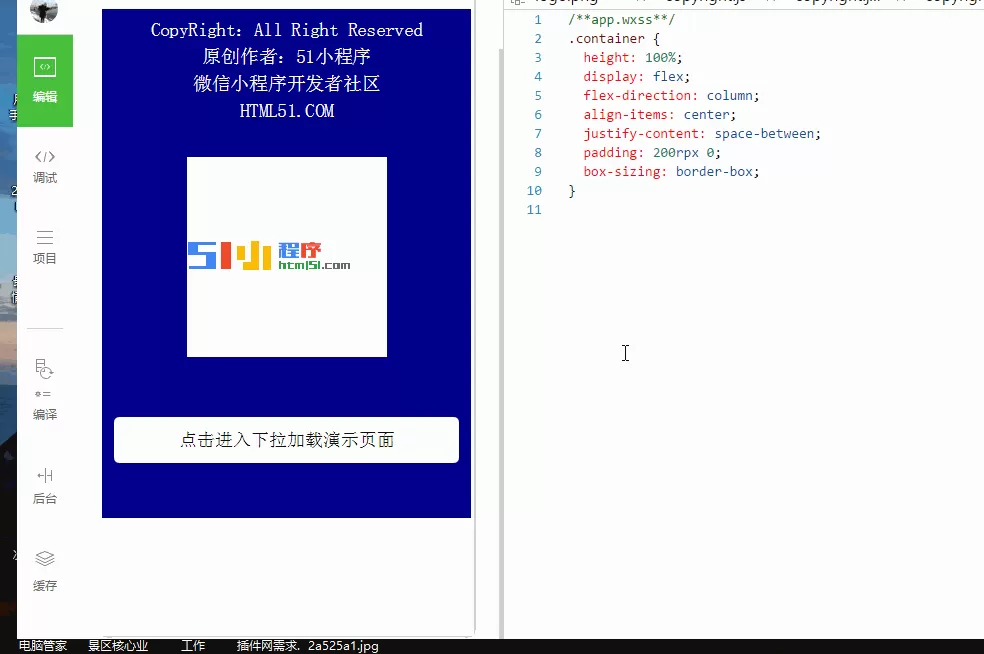
效果图:
业务需求:
列表滚动到底部时,继续往上拉,加载更多内容
必备参数:
(1)pageindex: 1 //第几次加载
(2)callbackcount: 15 //需要返回数据的个数
其他参数:
根据接口的所需参数
实现原理:
当第一次访问接口时,传递2个必备参数(第1次加载,需要返回数据的个数为15个),和其他参数(需要搜索的字符串)给后台,后台返回第一次数据过来。在请求成功的的回调函数中,判断返回的数据是否>0,是,则取出数据,渲染视图层,并把“上拉加载”显示在列表底部;否,则没有数据可取,并把“没有更多”显示在列表底部,同时把“上拉加载”隐藏掉。
当用户已经滚动到列表底部(这里使用到小程序提供的scroll-view组件的bindscrolltolower事件),触发bindscrolltolower事件,参数pageindex+1,再把2个必备参数(第2次加载,需要返回数据的个数为15个)和其他参数(需要搜索的字符串)给后台,后台把其余的数据返回给前台,前台在原来数据的基础上添加数据
主要的页面结果如下:
1.index.wxml
2.index.wxss
page{
display: flex;
flex-direction: column;
height: 100%;
}
/*搜索*/
.search{
flex: auto;
display: flex;
flex-direction: column;
background: #fff;
}
.search-bar{
flex: none;
display: flex;
align-items: center;
justify-content: space-between;
padding: 20rpx;
background: #f4f4f4;
}
.search-wrap{
position: relative;
flex: auto;
display: flex;
align-items: center;
height: 80rpx;
padding: 0 20rpx;
background: #fff;
border-radius: 6rpx;
}
.search-wrap .icon-search{
margin-right: 10rpx;
}
.search-wrap .search-input{
flex: auto;
font-size: 28rpx;
}
.search-cancel{
padding: 0 20rpx;
font-size: 28rpx;
}
/*搜索结果*/
.search-result{
flex: auto;
position: relative;
}
.search-result scroll-view{
position: absolute;
bottom: 0;
left: 0;
right: 0;
top: 0;
}
.result-item{
position: relative;
display: flex;
flex-direction: column;
padding: 20rpx 0 20rpx 110rpx;
overflow: hidden;
border-bottom: 2rpx solid #e5e5e5;
}
.result-item .media{
position: absolute;
left: 16rpx;
top: 16rpx;
width: 80rpx;
height: 80rpx;
border-radius: 999rpx;
}
.result-item .title,
.result-item .subtitle{
overflow: hidden;
text-overflow: ellipsis;
white-space: nowrap;
line-height: 36rpx;
}
.result-item .title{
margin-bottom: 4rpx;
color: #000;
}
.result-item .subtitle{
color: #808080;
font-size: 24rpx;
}
.result-item:first-child .subtitle text{
margin-right: 20rpx;
}
.result-item:not(:first-child) .subtitle text:not(:first-child):before{
content: \'/\';
margin: 0 8rpx;
}
.loading{
padding: 10rpx;
text-align: center;
}
.loading:before{
display: inline-block;
margin-right: 5rpx;
vertical-align: middle;
content: \'\';
width: 40rpx;
height: 40rpx;
background: url(/index/images/icon-loading.png) no-repeat;
background-size: contain;
animation: rotate 1s linear infinite;
}
.loading.complete:before{
display: none;
}
3.index.js
var util = require(\'//utils/util.js\')
Page({
data: {
searchKeyword: \'\', //需要搜索的字符
searchSongList: [], //放置返回数据的数组
isFromSearch: true, // 用于判断searchSongList数组是不是空数组,默认true,空的数组
searchPageNum: 1, // 设置加载的第几次,默认是第一次
callbackcount: 15, //返回数据的个数
searchLoading: false, //"上拉加载"的变量,默认false,隐藏
searchLoadingComplete: false //“没有数据”的变量,默认false,隐藏
},
//输入框事件,每输入一个字符,就会触发一次
bindKeywordInput: function(e){
console.log("输入框事件")
this.setData({
searchKeyword: e.detail.value
})
},
//搜索,访问网络
fetchSearchList: function(){
let that = this;
let searchKeyword = that.data.searchKeyword,//输入框字符串作为参数
searchPageNum = that.data.searchPageNum,//把第几次加载次数作为参数
callbackcount =that.data.callbackcount; //返回数据的个数
//访问网络
util.getSearchMusic(searchKeyword, searchPageNum,callbackcount, function(data){
console.log(data)
//判断是否有数据,有则取数据
if(data.data.song.curnum != 0){
let searchList = [];
//如果isFromSearch是true从data中取出数据,否则先从原来的数据继续添加
that.data.isFromSearch ? searchList=data.data.song.list : searchList=that.data.searchSongList.concat(data.data.song.list)
that.setData({
searchSongList: searchList, //获取数据数组
zhida: data.data.zhida, //存放歌手属性的对象
searchLoading: true //把"上拉加载"的变量设为false,显示
});
//没有数据了,把“没有数据”显示,把“上拉加载”隐藏
}else{
that.setData({
searchLoadingComplete: true, //把“没有数据”设为true,显示
searchLoading: false //把"上拉加载"的变量设为false,隐藏
});
}
})
},
//点击搜索按钮,触发事件
keywordSearch: function(e){
this.setData({
searchPageNum: 1, //第一次加载,设置1
searchSongList:[], //放置返回数据的数组,设为空
isFromSearch: true, //第一次加载,设置true
searchLoading: true, //把"上拉加载"的变量设为true,显示
searchLoadingComplete:false //把“没有数据”设为false,隐藏
})
this.fetchSearchList();
},
//滚动到底部触发事件
searchScrollLower: function(){
let that = this;
if(that.data.searchLoading && !that.data.searchLoadingComplete){
that.setData({
searchPageNum: that.data.searchPageNum+1, //每次触发上拉事件,把searchPageNum+1
isFromSearch: false //触发到上拉事件,把isFromSearch设为为false
});
that.fetchSearchList();
}
}
})
以上就是怎么在微信小程序中实现分页下拉加载的全部内容了,大家都学会了吗?

禁地之战(乾马金龙专属)
超变传奇996传奇
乾马金龙专属 全新三职业神器,上线领豪礼,爽玩!

王者霸业(王斩切割爆爆爆)
超变传奇
王斩切割爆爆爆 上线即送自动拾取、自动回收

烈焰之怒(骷髅超变日送10万...
超变传奇996传奇
骷髅超变日送10万 上线免费送刀刀绿毒刀刀冰冻自动回收,无条件登录就送10万充值货币!

铸兵之王(百亿直购送充爆)
超变传奇996传奇
百亿直购送充爆 自动拾取 自动回收 攻速全满 直升10000级 六大终极装备

江湖我最牛(GM狂送真充超超...
超变传奇996传奇
GM狂送真充超超变 全新超变几率触发GM手机,狂送真充红包

斗转武林(竹火百锻默爆)
超变传奇996传奇
竹火百锻默爆 上线福利:自动拾取、自动回收、更多豪礼在线相送!!

战影破穹(百亿送充神技觉醒...
超变传奇996传奇
百亿送充神技觉醒 上线即送自动回收、自动拾取等!

苍穹之剑2(帝煞古兵专属)
超变传奇996传奇
帝煞古兵专属 上线即送自动拾取、自动回收

摸金之路(无限超变天天送百...
超变传奇996传奇
无限超变天天送百万 超爽直购币白漂版本,天天送百万直购币!

国战来了(3.5折免费版)
策略
3.5折免费版 3.5折免费,每天送100限时代金券

《逆战:未来》张杰福利放送:杰...